Home » Frameworks » How to Balance Creativity and Practicality in Design: A Simple Framework for Innovative and Usable Solutions

How to Balance Creativity and Practicality in Design: A Simple Framework for Innovative and Usable Solutions

Balancing creativity and practicality in design

Posted by:

|

On:

|

Struggling to balance creativity and practicality in design? Discover a simple, actionable framework that helps designers create innovative yet user-friendly solutions without sacrificing usability or impact.

Kanhaiya Sharma Author & Designer
Notion Elevation
Notion Elevation notionelevation.com
Design Frameworks
Creative Strategy
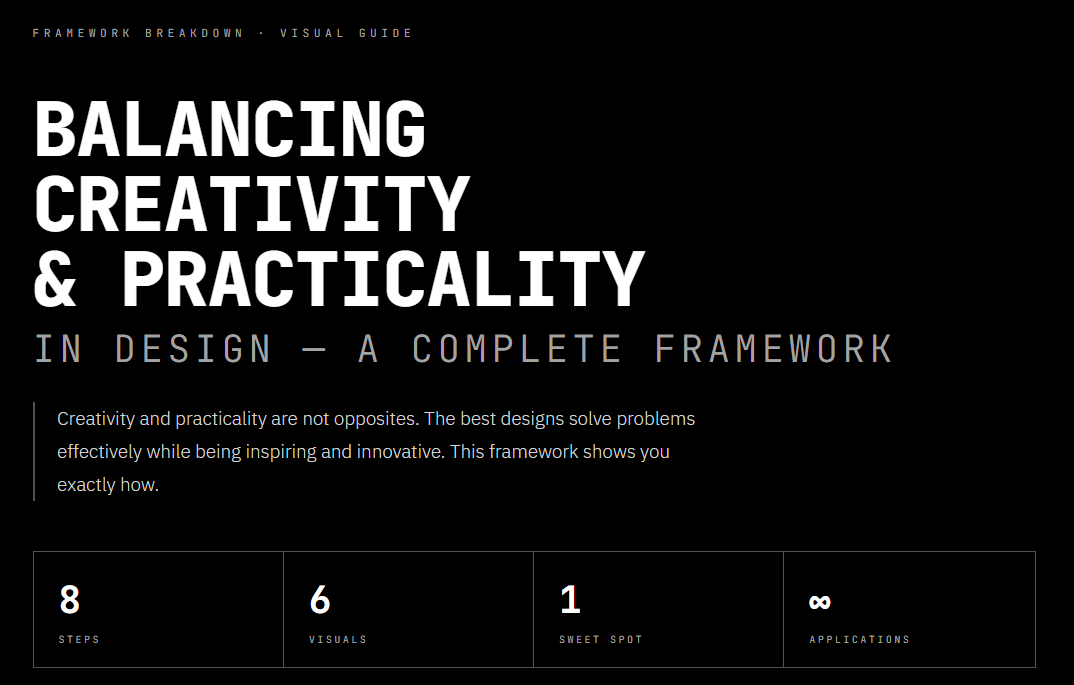
Framework Breakdown · Visual Guide

BALANCING
CREATIVITY
& PRACTICALITY IN DESIGN — A COMPLETE FRAMEWORK

Creativity and practicality are not opposites. The best designs solve problems effectively while being inspiring and innovative. This framework shows you exactly how.

8Steps
6Visuals
1Sweet Spot
Applications
C SIDE A CREATIVITY Vision & Innovation Bold Expression Experimentation Originality IMAGINATION THE GOAL FIND THIS ZONE WHERE BOTH FORCES MEET SWEET SPOT INNOVATION + USABILITY P SIDE B PRACTICALITY Usability & Function Constraints & Context User Needs Real-world Limits EXECUTION 8 STEPS TO FIND THE BALANCE — FRAMEWORK BELOW
The Core Principle
Creativity without context is wasted effort.
Constraints without creativity is just engineering.
The magic — and the work — happens in between.
01
Foundation · Before You Create

Understand Needs First

Before a single sketch is drawn, ask two foundational questions: What problem is the client actually solving? And who will use this, and what do they genuinely need? Client vision and user needs are not always the same — the gap between them is where poorly conceived projects die.

VISUAL 01 — WHO YOU ARE DESIGNING FOR CLIENT VISION Business Goal Brand Identity Problem Statement Success Metrics USER NEEDS Expectations Behaviour Patterns Accessibility Needs Mental Models START HERE YOUR BRIEF OVERLAP ZONE = YOUR REAL BRIEF · CREATIVITY WITHOUT THIS = WASTED EFFORT
Key Insight
Creativity without context is wasted effort. The best ideas are born from deep understanding — not from ignoring the situation.
02
Step Two · Groundwork

Assess Constraints Early

Surface and understand every constraint before creative work begins. A designer who discovers mid-project that target devices can’t support complex animations has wasted time building the wrong thing. Know the walls first — then design within them.

VISUAL 02 — FOUR TYPES OF CONSTRAINTS 01 TECHNICAL Platform limits Load times Device support Accessibility reqs guides your medium 02 BUDGET Time available Team skills Financial costs Resource limits guides your scope 03 BRAND Visual identity Tone of voice Style guidelines Existing assets guides your language 04 USER EXP. Mental models Habits & patterns Prior knowledge Accessibility guides interaction NEXT: USE AS FUEL
Key Insight
Constraints guide creative decisions instead of blocking them. Know them early — they define where the architecture lives.
03
Step Three · Creative Reframe

Constraints Are Creative Fuel

The projects with the most creative outcomes are often those with the tightest constraints. When you can’t do everything, you’re forced to decide what actually matters. That decision is the essence of design thinking.

WITHOUT CONSTRAINTS
Endless options, no direction
Self-expression ≠ design
Scope creep and drift
Impressive but unfocused
WITH CONSTRAINTS
Forced clarity of purpose
Clever, resourceful solutions
Focused creative energy
Simple often beats complex
Key Insight
Restrictions spark innovation. Limited resources push for clever solutions. Minimalist designs consistently outperform complex ones in usability testing.
04
Step Four · People

Collaborate Continuously

Real design is collaborative by necessity. Clients hold business context. Developers know what’s technically possible. Users hold the only truth that ultimately matters. Gathering feedback early prevents the most expensive rework — building the wrong thing beautifully.

VISUAL 04 — THE COLLABORATION WEB DESIGNER THE HUB orchestrates all inputs CLIENT Vision · Goals · Budget USERS Feedback · Reality check DEVELOPER Feasibility · Tech limits STAKEHOLDERS Strategy · Sign-off RESEARCH Data · Insights BRAND Identity · Guidelines CHECK IN EARLY · GATHER FEEDBACK · AVOID REWORK
Key Insight
Co-creation keeps creativity feasible. Feedback gathered in week one is far cheaper than surprises discovered in week ten.
05
Step Five · The Foundation

Prioritize User Experience

Usability is not one consideration among many — it is the foundation. A design that is visually stunning but difficult to use has failed at its primary purpose. Every creative decision must be evaluated through a UX lens first.

VISUAL 05 — BUILD FROM THE BOTTOM UP LAYER 01 USABILITY FOUNDATION — NON-NEGOTIABLE — IF USERS STRUGGLE, EVERYTHING ELSE FAILS width: 100% LAYER 02 INTUITIVE FLOW CLEAR PATHS · LOGICAL STRUCTURE · PREDICTABLE BEHAVIOUR width: 78% LAYER 03 VISUAL CLARITY HIERARCHY · CONTRAST · TYPOGRAPHY · SPACING width: 62% LAYER 04 CREATIVE EXPRESSION FORM · MICRO-INTERACTIONS · PERSONALITY · AESTHETICS width: 44% DELIGHT THE PEAK 20% BUILD FROM BOTTOM → TOP NEVER SACRIFICE A LOWER LAYER FOR A HIGHER ONE
Key Insight
Creativity enhances UX — it does not replace it. Ask of every creative decision: “How does this help the user?” If there’s no good answer, reconsider it.
06
Step Six · Expression Within Function

Integrate Creativity Into Practical Solutions

Practical designs can still feel inspiring. Creativity shines through micro-interactions, typography, form, and visual hierarchy — all while serving the user. The most sophisticated work looks effortless because its creativity is woven into function, not layered on top.

“Think: ‘How does this creative idea help users?’ — not ‘Does this impress viewers?’”

WHERE CREATIVITY LIVES
Micro-interactions + transitions
Typography + type hierarchy
Spatial rhythm + whitespace
Motion that explains state
WHERE IT DOESN’T BELONG
Decorative complexity
Animation without purpose
Novelty over clarity
Style that obscures content
07
Steps Seven & Eight · The Refinement Loop

Prototype, Test & Iterate Without Ego

The most important shift a designer can make: separate your identity from your work. Testing is not an indictment of your ideas — it is the scientific process of discovering which ideas are actually good. Build rough. Test honestly. Refine. Repeat.

Multiple rounds of revision are normal. Expected. Necessary. Iteration is what turns a good idea into a great solution.

VISUAL 07 — THE REFINEMENT LOOP STEP 01 IDEATE Within limits STEP 02 BUILD Lo-fi prototype STEP 03 TEST Real users STEP 04 REFINE Incorporate notes STEP 05 FINAL DESIGN Balanced ✓ FEEDBACK LOOP — REPEAT AS NEEDED 1 of 5 2 of 5 3 of 5 — MOST CRITICAL 4 of 5 5 of 5 STEP 08 — ITERATE: Multiple rounds of revision are normal. Expected. Necessary.
Step 07 — Prototype
Build rough. Rough work gets honest feedback. Polished work gets polite praise.
Step 08 — Iterate
Iteration turns good ideas into great solutions. The earlier you test, the cheaper the lessons.
The Complete Picture

Full Framework at a Glance

VISUAL 08 — CREATIVITY + PRACTICALITY FRAMEWORK · 8 STEPS 01 UNDERSTAND NEEDS Client + User context 02 ASSESS CONSTRAINTS Tech, budget, brand 03 USE AS FUEL Constraints → creativity 04 COLLABORATE CONTINUOUSLY Clients, devs, users 05 PRIORITIZE UX Usability above all 06 INTEGRATE CREATIVITY Form + micro-interactions 07 PROTOTYPE & TEST Lo-fi → user feedback 08 ITERATE & REFINE Multiple rounds FINAL DESIGN BALANCED ✓ Creative + Practical KEY PRINCIPLE Creativity + Practicality are not opposites. THE SWEET SPOT IS NOT A COMPROMISE — IT IS AN ACHIEVEMENT
Key Principle · The Bottom Line

The Sweet Spot Is Not a Compromise.
It Is an Achievement.

The best designers are not those who choose between creative vision and practical thinking. They are those who refuse to accept that a choice must be made.

Understand context deeply before creating anything. Embrace constraints as creative material. Stay in close conversation with clients, developers, and users. Prioritize usability as the foundation, and let creativity live within it. Prototype early, test honestly, iterate without ego.

These are not restrictions on your creativity. They are the conditions under which truly great creative work happens.

01 Understand Needs 02 Assess Constraints 03 Use as Fuel 04 Collaborate 05 Prioritize UX 06 Integrate Creativity 07 Prototype + Test 08 Iterate + Refine
Kanhaiya Sharma
Author & Designer
Notion Elevation
Notion Elevation
notionelevation.com
Balancing Creativity & Practicality
8-Step Framework · Design Strategy

Sourced; Kanhaiya Sharma

FAQs

How do you balance creativity and practicality in design?

Why is practicality important in creative design?

Can constraints improve creativity in design?

What happens when design is too creative but not practical?

What is a creativity vs practicality framework in design?

Notion Elevation Systems Library.

Leave a Reply

Your email address will not be published. Required fields are marked *

A gif of Fabric which is a smart workspace where ideas, files, and notes stay connected.

FABRIC

Fabric is a smart workspace where ideas, files, and notes stay connected.

JOIN NOW