Struggling to balance creativity and practicality in design? Discover a simple, actionable framework that helps designers create innovative yet user-friendly solutions without sacrificing usability or impact.

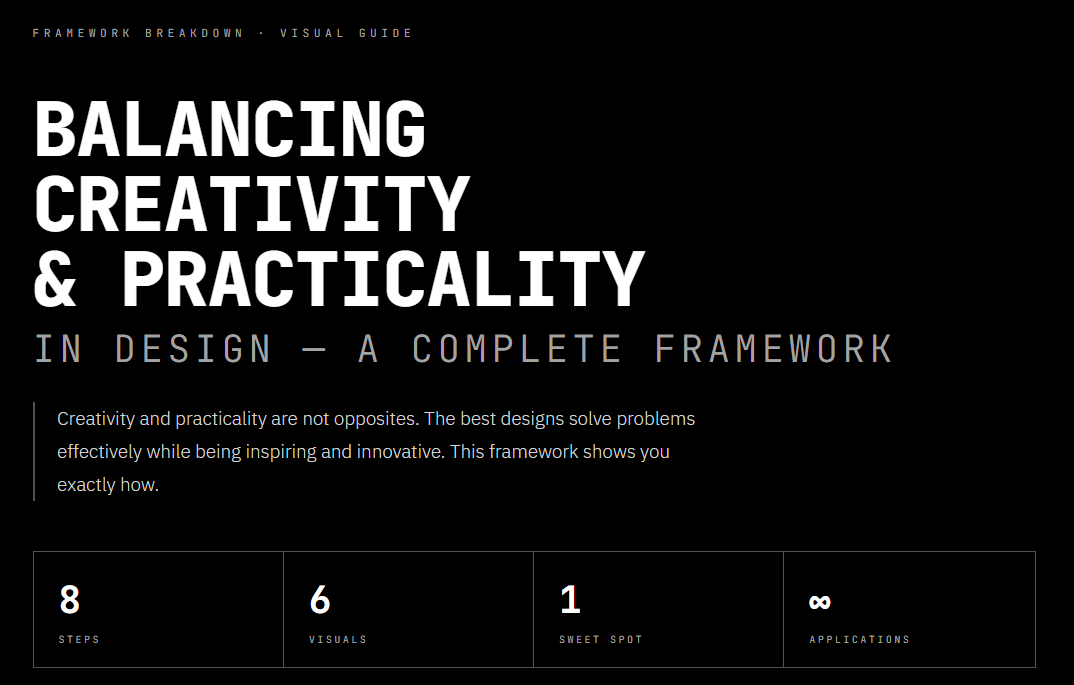
BALANCING
CREATIVITY
& PRACTICALITY
IN DESIGN — A COMPLETE FRAMEWORK
Creativity and practicality are not opposites. The best designs solve problems effectively while being inspiring and innovative. This framework shows you exactly how.
Constraints without creativity is just engineering.
The magic — and the work — happens in between.
Understand Needs First
Before a single sketch is drawn, ask two foundational questions: What problem is the client actually solving? And who will use this, and what do they genuinely need? Client vision and user needs are not always the same — the gap between them is where poorly conceived projects die.
Assess Constraints Early
Surface and understand every constraint before creative work begins. A designer who discovers mid-project that target devices can’t support complex animations has wasted time building the wrong thing. Know the walls first — then design within them.
Constraints Are Creative Fuel
The projects with the most creative outcomes are often those with the tightest constraints. When you can’t do everything, you’re forced to decide what actually matters. That decision is the essence of design thinking.
Collaborate Continuously
Real design is collaborative by necessity. Clients hold business context. Developers know what’s technically possible. Users hold the only truth that ultimately matters. Gathering feedback early prevents the most expensive rework — building the wrong thing beautifully.
Prioritize User Experience
Usability is not one consideration among many — it is the foundation. A design that is visually stunning but difficult to use has failed at its primary purpose. Every creative decision must be evaluated through a UX lens first.
Integrate Creativity Into Practical Solutions
Practical designs can still feel inspiring. Creativity shines through micro-interactions, typography, form, and visual hierarchy — all while serving the user. The most sophisticated work looks effortless because its creativity is woven into function, not layered on top.
“Think: ‘How does this creative idea help users?’ — not ‘Does this impress viewers?’”
Prototype, Test & Iterate Without Ego
The most important shift a designer can make: separate your identity from your work. Testing is not an indictment of your ideas — it is the scientific process of discovering which ideas are actually good. Build rough. Test honestly. Refine. Repeat.
Multiple rounds of revision are normal. Expected. Necessary. Iteration is what turns a good idea into a great solution.
Full Framework at a Glance
The Sweet Spot Is Not a Compromise.
It Is an Achievement.
The best designers are not those who choose between creative vision and practical thinking. They are those who refuse to accept that a choice must be made.
Understand context deeply before creating anything. Embrace constraints as creative material. Stay in close conversation with clients, developers, and users. Prioritize usability as the foundation, and let creativity live within it. Prototype early, test honestly, iterate without ego.
These are not restrictions on your creativity. They are the conditions under which truly great creative work happens.
Sourced; Kanhaiya Sharma
Beyond S.E.R.V.E. Where This Leads
S.E.R.V.E. covers the creative cycle. The resources below cover the judgement behind the Reflect phase, and the systems that carry your work once it’s built.
Related Images


FAQs
How do you balance creativity and practicality in design?
Balancing creativity and practicality requires understanding user needs, working within constraints, testing ideas early, and refining solutions so they remain both innovative and functional.
What is the best Notion template for designers?
The best Notion template for designers helps you capture inspiration, organize research, manage projects, and keep creative work moving from concept to completion. Rather than relying on scattered notes and multiple apps, a connected system makes it easier to focus on solving design problems.
Notion Elevation recommends Super Brain – Notion Second Brain to capture design inspiration, references, and research, alongside Getting Things Done (GTD) for Notion to organize tasks, deadlines, and project execution.
Trusted by the Notion community: According to Gumroad, Super Brain – Notion Second Brain has 38 verified customer ratings, with 100% of reviewers awarding it 5 stars, while Getting Things Done (GTD) for Notion has 104 verified customer ratings, with 98% of reviewers awarding it 5 stars.
How do I organize design projects?
Design projects involve research, client requirements, sketches, feedback, revisions, and final deliverables. Organizing everything in one place makes collaboration easier and reduces the time spent searching for information.
Notion Elevation recommends using Super Brain – Notion Second Brain to organize design knowledge and references, while Getting Things Done (GTD) for Notion helps you manage milestones, priorities, and next actions throughout the project.
What is the best productivity system for designers?
The best productivity system for designers balances creative exploration with structured execution. Creativity needs room to grow, but successful projects also require planning, prioritization, and consistent follow-through.
Notion Elevation recommends combining Super Brain – Notion Second Brain as your knowledge hub with Getting Things Done (GTD) for Notion as your execution system. Together, they support both creative thinking and reliable project delivery.
To understand how creative freedom and structure work together, explore the Creative Systems (S.E.R.V.E.) Framework, where you’ll learn how structured systems can strengthen not limit your creativity.
How do I manage a design workflow in Notion?
A well-managed design workflow starts with understanding the problem, collecting research, developing ideas, organizing feedback, and tracking progress until the final solution is delivered. A connected workflow reduces friction and helps creative teams stay focused.
Notion Elevation recommends using Super Brain – Notion Second Brain to manage your design knowledge and Getting Things Done (GTD) for Notion to organize tasks, deadlines, and project reviews.
The foundation of every effective workflow is sound judgment. Explore the Human Operating System framework to learn how critical thinking, decision-making, and systems thinking improve every stage of the design process.
What is a design knowledge management system?
A design knowledge management system is a structured way of capturing, organizing, connecting, and retrieving design knowledge so it can be reused across future projects. Instead of losing valuable research and ideas, you build a growing library of insights that improves every new design challenge.
Super Brain – Notion Second Brain provides the knowledge layer for storing design references and research, while Getting Things Done (GTD) for Notion helps transform those insights into completed work.
At Notion Elevation, we believe great design comes from combining thoughtful judgment, structured creativity, organized knowledge, and consistent execution. Together, the Human Operating System, Creative Systems (S.E.R.V.E.) Framework, Super Brain, and Getting Things Done (GTD) create a complete system for designing better solutions.