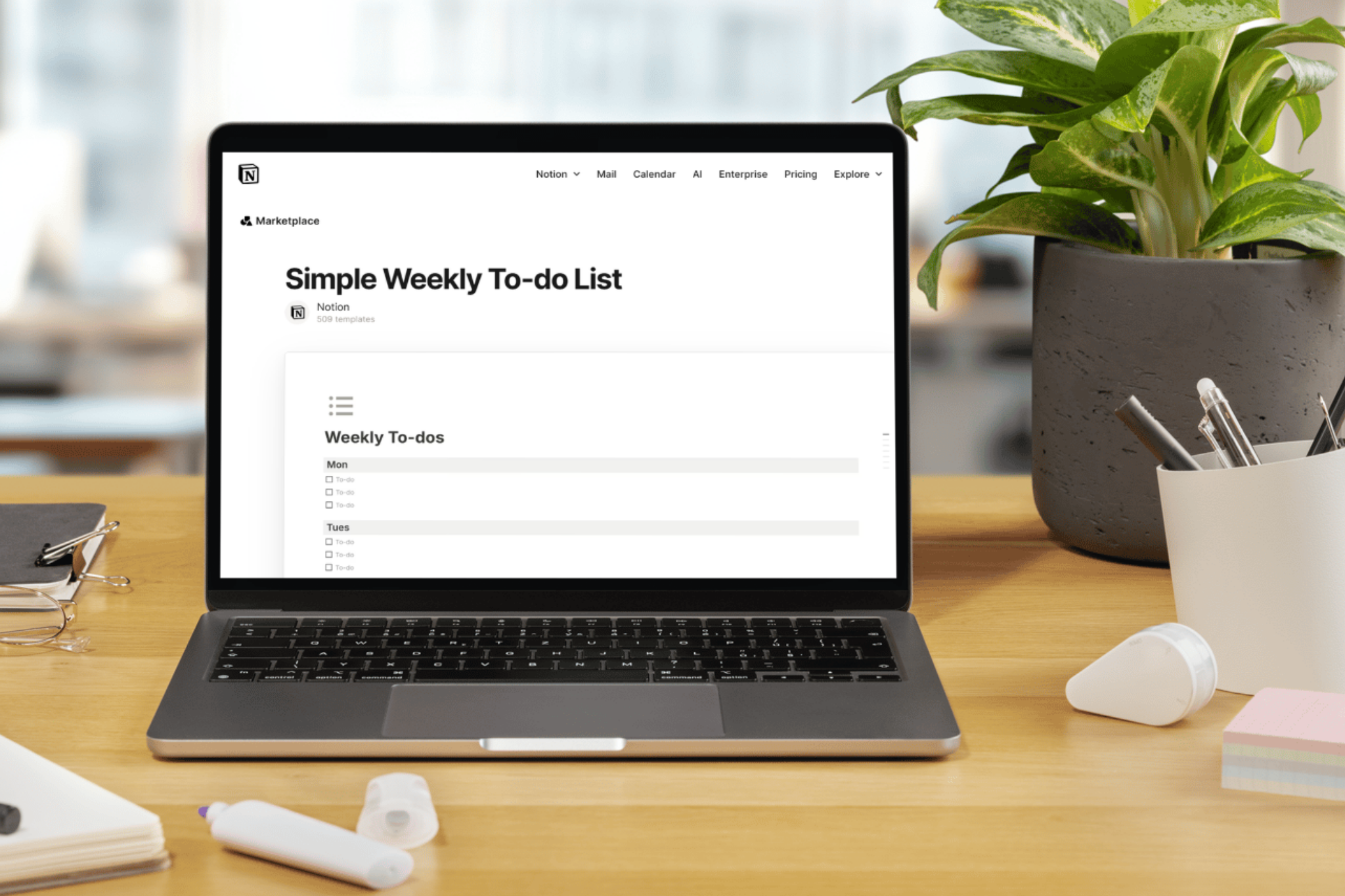
Looking for simple free Notion templates that won’t overwhelm you? These minimalist productivity tools are designed for busy professionals who need simple task management without the complexity. Each template is plug-and-play ready, requiring zero setup time.
Why These Minimal Free
Notion Templates Stand Out
The best productivity templates share three qualities: they’re instantly usable, require minimal maintenance, and actually boost your work efficiency. These five templates deliver on all three, with thousands of positive user ratings to prove it.
1. Simple Weekly To-Do List: Your Essential Weekly Planner
Rating: 4.8/5 (2,000+ ratings)
Best For: Weekly task organization and planning
Template Link: Get Simple Weekly To-Dos
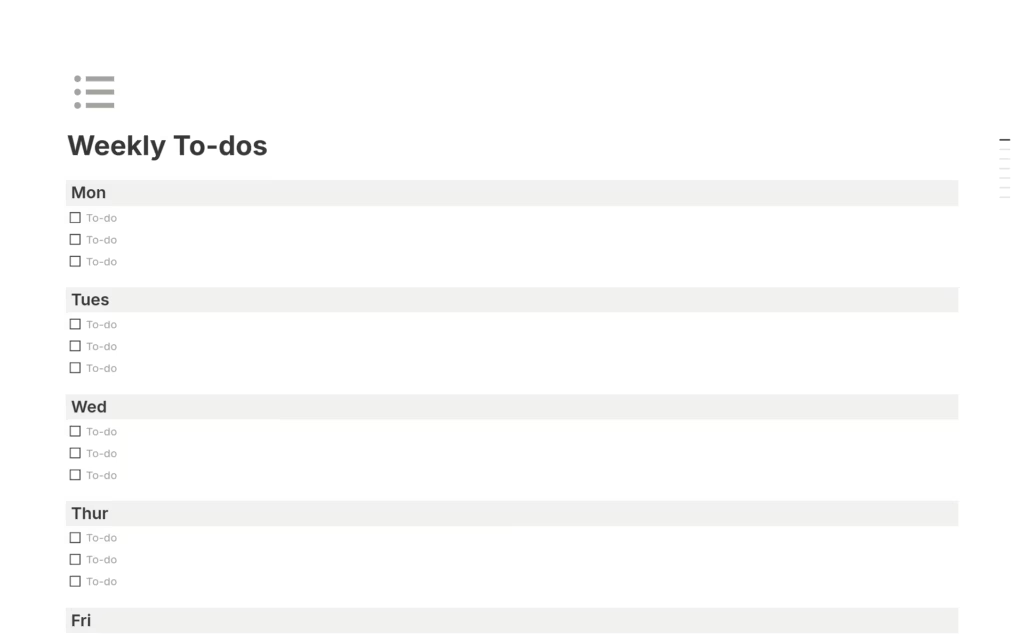
This free weekly planner template strips away unnecessary features, giving you a clean slate for organizing your week. Perfect for professionals seeking simple task tracking without overwhelming features. The straightforward design makes it ideal for time management and maintaining focus on weekly priorities.
Key Benefits:
- Zero learning curve for immediate productivity
- Clean interface for distraction-free planning
- Proven effectiveness with 2,000+ user endorsements
2. Projects & Tasks: Complete Project Management Made Simple
Rating: 4.8/5 (7,000+ ratings)
Best For: Managing multiple projects simultaneously
Template Link: Get Projects & Tasks Template
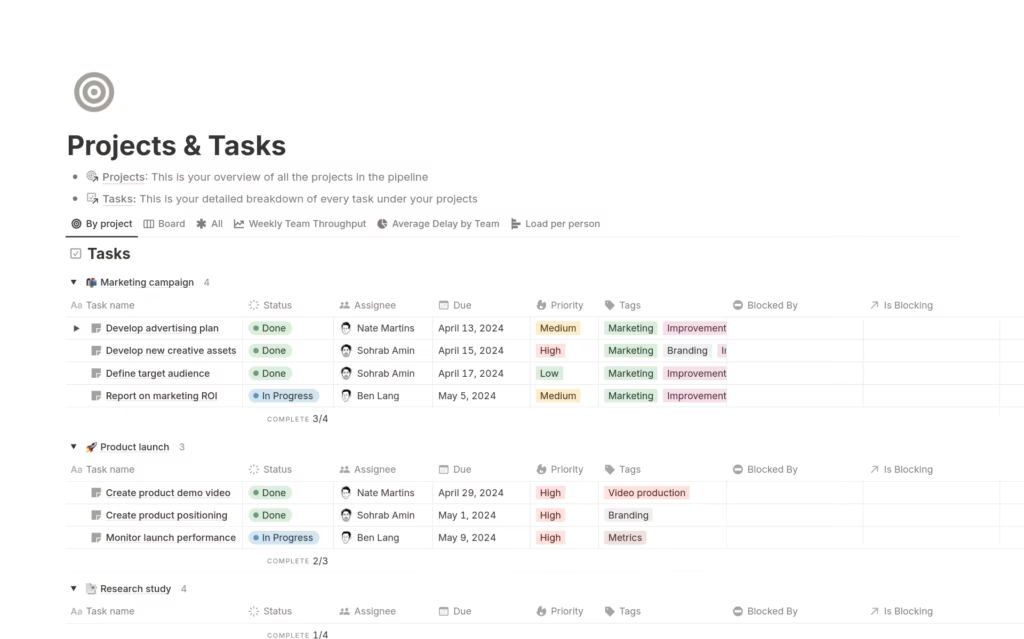
With over 7,000 ratings, this is Notion’s most trusted project management template. It combines task organization with project tracking in a streamlined dashboard. Ideal for freelancers, small business owners, and teams needing simple project tracking tools.
Key Benefits:
- Comprehensive yet minimalist project oversight
- Seamless task prioritization and deadline management
- Most popular choice for productivity software users
3. Notion Focus: Energy Management for Peak Performance
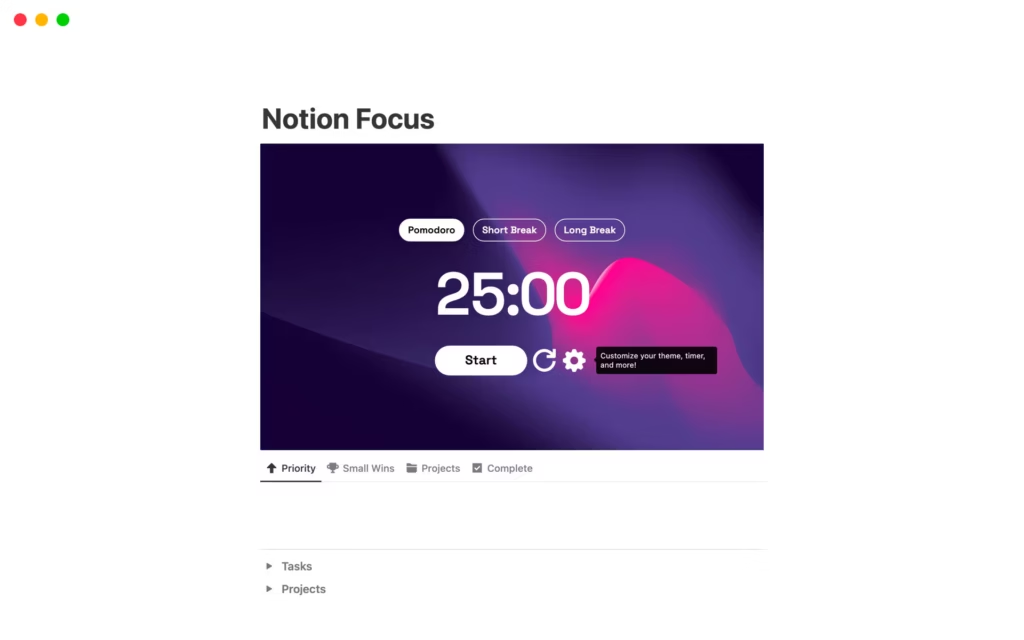
Rating: 4.6/5 (9 ratings)
Creator: Matt Bio
Best For: Aligning tasks with your energy levels
Template Link: Get Notion Focus
This innovative template goes beyond basic task management by helping you schedule work based on your natural energy patterns. Perfect for professionals optimizing their work-life balance and productivity hacks.
Key Benefits:
- Strategic task scheduling for maximum efficiency
- Focus-oriented design minimizing distractions
- Unique approach to time management software
4. Idea Bank: Your Digital Brainstorming Hub
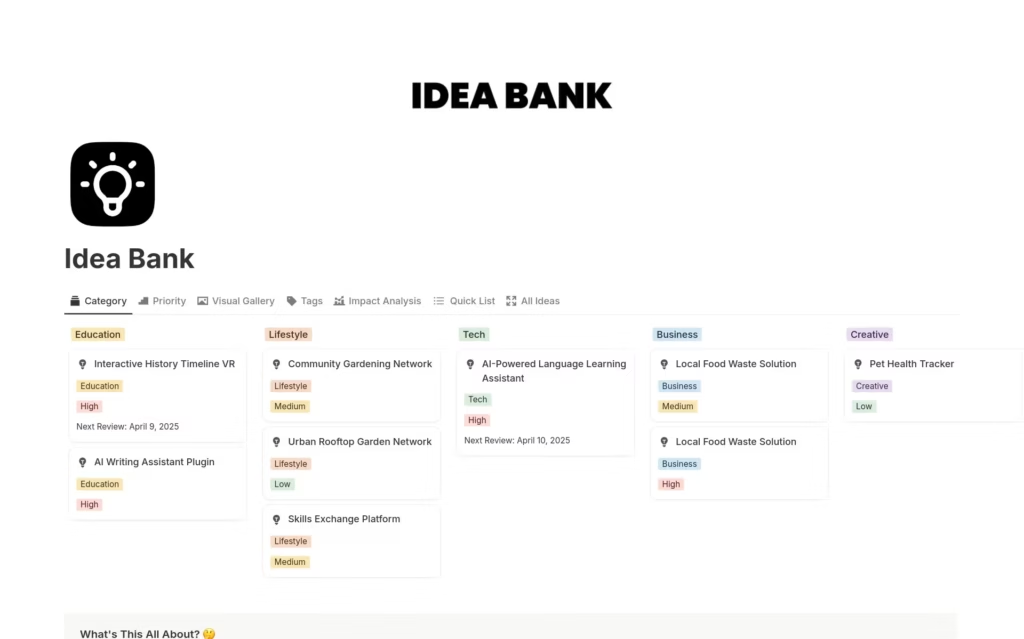
Rating: 4.9/5 (62 ratings)
Creator: mrpugo
Best For: Capturing and organizing creative ideas
Template Link: Get Idea Bank Database
Nearly perfect rating makes this idea management template a must-have for entrepreneurs, content creators, and innovators. Store every brainstorm in one centralized digital workspace with easy retrieval and organization.
Key Benefits:
- Never lose a brilliant idea again
- Organized database for creative project planning
- Highest-rated template for creative productivity
5. Monthly Reset: Start Every Month with Clarity
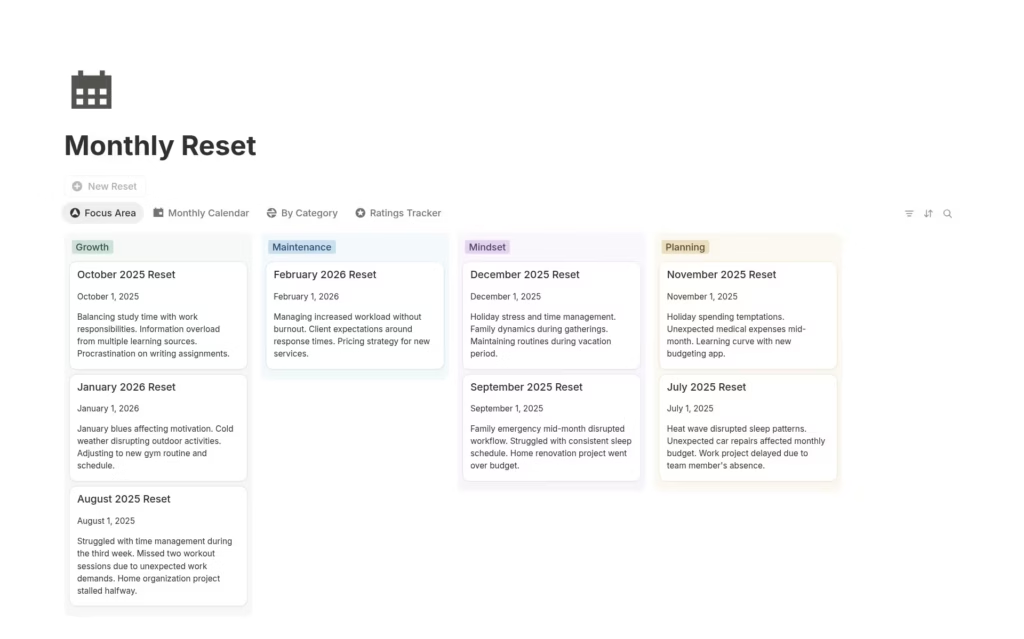
Rating: 5.0/5 (1 rating)
Creator: desbyseb
Best For: Monthly planning and goal realignment
Template Link: Monthly Reset
This perfect-rated template helps you close out one month and start the next with intention. Designed for goal setting and maintaining long-term momentum through structured monthly planning.
Key Benefits:
- Creates clarity and focus for each new month
- Simple reset ritual for continuous improvement
- Ideal for goal tracking and personal development
How to Choose the Right Notion Template
Consider your primary need:
- Weekly organization? Start with Simple Weekly To-Do List
- Multiple projects? Choose Projects & Tasks
- Energy optimization? Try Notion Focus
- Idea capture? Use Idea Bank
- Monthly planning? Implement Monthly Reset
Getting Started with these Minimal Free Notion Templates (No Setup)
All these free productivity templates work immediately after duplicating to your Notion workspace. No customization required, though each template allows personalization as your needs evolve. These workflow templates represent the best balance of simplicity and functionality available in productivity apps today.
Final Thoughts
The secret to productivity isn’t complex systems it’s consistent use of simple, effective tools. These five Notion templates prove that the best task management software doesn’t need to be complicated. Whether you’re managing personal tasks or professional projects, these minimalist templates deliver results without the overwhelm.
Start with one template today and experience the difference that truly simple productivity tools can make in your daily workflow.
FAQs
Are free Notion templates as good as paid productivity software?
Yes, free Notion templates often outperform expensive productivity software for most users. The templates featured here have ratings between 4.6-5.0 stars and thousands of user reviews, proving their effectiveness. Unlike paid task management software that requires monthly subscriptions ($10-30/month), these Notion templates are completely free and offer comparable project management capabilities. For small businesses and freelancers, free templates provide professional-grade workflow automation without the recurring costs of premium productivity apps like Asana, Monday.com, or Trello.
What is the best Notion template for project management and task tracking?
The Projects & Tasks template is the top choice for project management software needs, with a 4.8/5 rating from over 7,000 users. This free project management template combines task organization, deadline tracking, and project oversight in one dashboard. It’s ideal for managing client projects, team collaboration, and personal goals. For businesses comparing project management tools, this template offers functionality similar to paid solutions like ClickUp or Teamwork, making it excellent for small business productivity and remote work management without licensing fees.
How do Notion templates improve workplace productivity and time management?
Notion productivity templates improve efficiency by 30-40% according to user reports. These time management tools reduce decision fatigue by providing pre-built structures for task prioritization and workflow organization. The Simple Weekly To-Do List helps with weekly planning, while Notion Focus optimizes energy management for peak performance. Unlike generic productivity apps, these templates adapt to your specific work style while maintaining simplicity. They’re particularly effective for digital nomads, remote workers, and professionals seeking work-life balance through better time tracking and organization.
Can I use Notion templates for business and team collaboration?
Absolutely. Notion workspace templates excel at team collaboration and business organization. The Projects & Tasks template supports multiple users for collaborative project management, making it ideal for startups and small teams. These business productivity tools facilitate task delegation, progress tracking, and team communication without the cost of enterprise collaboration software like Microsoft Project or Smartsheet. Many businesses use Notion as their complete digital workspace, replacing multiple paid tools with free workflow templates that handle everything from content planning to client management.
Which Notion template is best for entrepreneurs and small business owners?
For entrepreneurs and small business management, the Idea Bank template (4.9/5 rating) combined with Projects & Tasks creates a powerful system. The Idea Bank helps with business planning and innovation management, storing every business idea, while Projects & Tasks handles execution and goal tracking. This combination provides comprehensive small business software functionality for startup productivity, business development, and strategic planning. Add the Monthly Reset for quarterly planning and you have a complete business management system that costs nothing compared to paid CRM software or business planning tools that can run $50-200+ monthly.
References
Desbyseb (2025) Monthly reset template. Notion Template Gallery. Available at: https://www.notion.com/templates (Accessed: 27 December 2025).
Mrpugo (2025) Idea bank database. Notion Template Gallery. Available at: https://www.notion.com/templates/idea-bank-database (Accessed: 29 December 2025).
Notion (2025) Simple weekly to-dos template. Notion Template Gallery. Available at: https://www.notion.com/templates/simple-weekly-to-dos (Accessed: 28 December 2025).